
All chapters (7/12)
User Guide / Chapter 7
Team Link
Link a friend's team with yours so online hours, AFK, and deaths are ranked together, up to 2 teams and 24 players.
Make sure both teams are on the same server
(Screenshots show the Chinese version of the app. Switch the app to English from the language menu in the top bar. Button names below are the English labels, followed by the Chinese label so you can match the screenshots.) Both sides need a Team Broadcast Station subscription, and both must have paired the same server in My Servers (我的伺服器).
TipYou link with the leader of a different team. Linking with someone on your own team doesn't merge anything, so nothing gets counted twice.Leader: get a link code
The Team Link (戰隊綁定) card at the top of Overview (總覽) is normally a single line; click Start Linking (開始綁定) to expand it. If you have several servers, first pick the right one from the dropdown next to the title (it shows "Server: … (伺服器:…)"). Then click Leader: Get Link Code (我是隊長:產生綁定碼). A code appears with a Copy (複製) button.
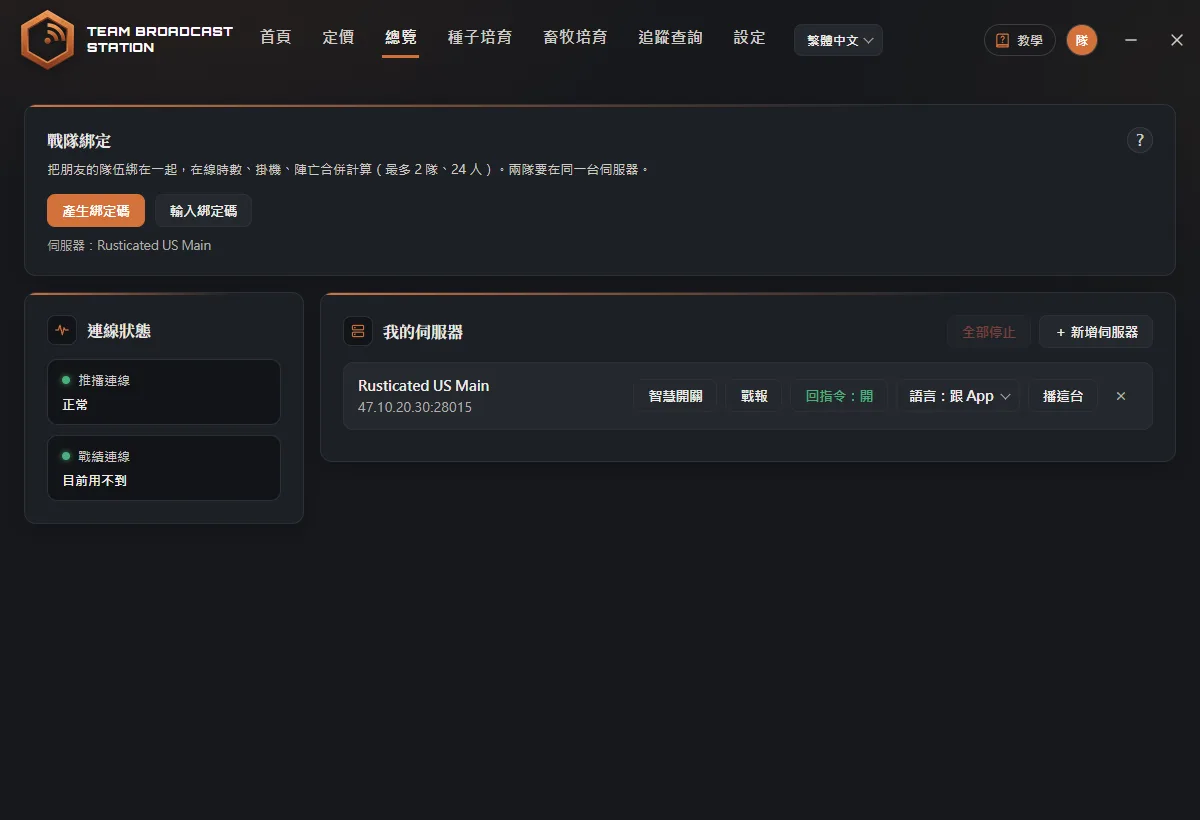 TipThe link code is valid for 15 minutes and can be used once. The code is only shown when it's generated; to see it again, click Regenerate (重新產生).
Leader: send the code to your friend
Click Copy (複製) and send it to the other team's leader on Discord or LINE.
Friend: enter the link code
Your friend clicks Start Linking (開始綁定) and Friend: Enter Link Code (朋友給了我碼:輸入綁定碼) in their own app, pastes the code, and clicks OK (確定) (capitals and spaces don't matter; the code is cleaned up automatically). They see your avatar, the server, and how many players are on your team. If the code is wrong, the reason shows right under the input box.
TipIf it says "You're not on the same server (你們不在同一台伺服器)", switch to the same server first, then link.Friend: agree and send
Check "I understand: my team members' Steam names, online time, AFK counts, and death counts will be shared with my linked team (我了解:本隊成員的 Steam 名稱、在線時數、掛機和陣亡次數,會分享給綁定的戰隊)", then click Send Request (送出,等對方同意). The screen shows "Request sent. Waiting for the leader to approve. (已送出,等隊長同意)".
TipAFK times tell the other team when nobody from your team is around, so let your teammates know before you send the request.Leader: approve
On the leader's side, the card shows that someone wants to link their team with yours, and a red dot appears on Overview (總覽) in the top bar. If the app is in the background, you also get a Windows notification. If it's your friend, click Approve (同意). If you don't recognize them, click Decline (拒絕).
TipNothing is linked until the leader approves. Even if a link code leaks, nobody can sneak in.Linked
Both sides' Steam avatars are shown side by side. "● Syncing" means the other side is broadcasting; "○ PC off" shows the last sync time. The card normally collapses to one line: click Expand (展開) for details and Collapse (收起) to fold it back.
TipOnly online hours, AFK, and deaths are merged. Smart Switches and death locations are never shared with the other team.View the combined recap
Expand the card and click Combined Recap (看合併戰報) (or Recap (戰報) on the server row), then choose Both Teams (戰隊合併) under Show (看誰的) to rank both teams in one image. After linking, wait a few minutes for the other team's data to arrive.
Unlinking
Expand the card; the leader clicks Disband Team Link (解散戰隊) at the bottom right, and the friend clicks Leave Team Link (退出戰隊). Combined stats stop, the other team's data is deleted from your PC, and your own team's records are kept.
FAQ
The card says "Pair a server under My Servers below before you can link teams (先在下面我的伺服器配對一台伺服器)"?
You need to finish "Add a Server" before you can use Team Link.
We're linked, but it says "They look like they're on your team (對方看起來跟你是同一隊)"?
The other team has the same members as yours, so the app doesn't merge them, to avoid double counting. Link with the leader of a different team instead.
How many teams can I link?
Up to 2 teams, 24 players total.