
PLAYER TRACKER
Rust player tracker: know the moment they log in
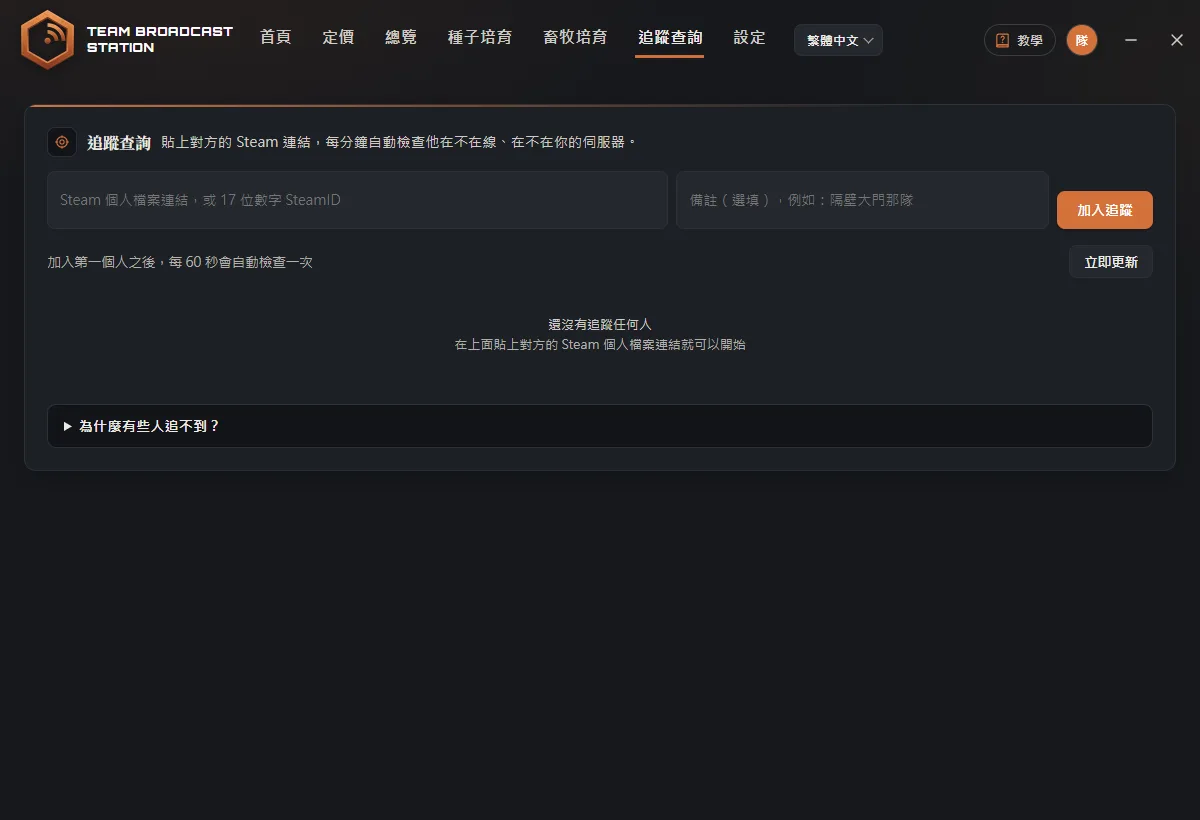
Paste a player's Steam link and the app checks every 60 seconds whether they are online, playing Rust, or on your server. When the group next door logs in, you will know first.
Sound familiar?
Raided while you were offline
You never know when your neighbors log in, until the door is already blown.
Alt-tabbing to Steam
Your friends list needs a friend request and still doesn't show which server they are on.
Who joined my server?
A rival switches servers and lands on yours, and you have no idea.
How do you track players in Rust?
Knowing when your neighbors and rivals log in often decides whether you get raided tonight. Here are three common ways to do it, and how it works in Team Broadcast Station.
Three ways to track
Tracking with the app
- Copy their Steam linkOpen their Steam profile and copy the URL (starting with steamcommunity.com), or their 17-digit SteamID.
- Paste it into Player Tracker and add a noteA note like "group by the big door" makes them easy to recognize later. Click Add.
- Watch the list and recent activityPlayers are grouped as on your server, in Rust, online on Steam, and offline. Recent activity logs who logged in, logged off, or changed servers, and when.
Tip: Click Copy address on the server they are on, then paste it into the Rust F1 console to connect straight to it.
Private profiles and invisible mode
The data comes from Steam. You only see whether they are in Rust and on which server if their Steam profile is fully public. With a private profile you only see online or offline, and invisible mode looks offline. These are Steam's rules and apply to every tracking tool.
FAQ
Is this a cheat? Can I get banned?
No. Tracking only uses public Steam data. It doesn't read or modify the game and has nothing to do with your game account.
How does it know they are on my server?
It compares the server address they are on with the servers you have paired in the app.
Do I have to keep the tracker page open?
No. While you are signed in with an active subscription, the app keeps checking in the background on any page.